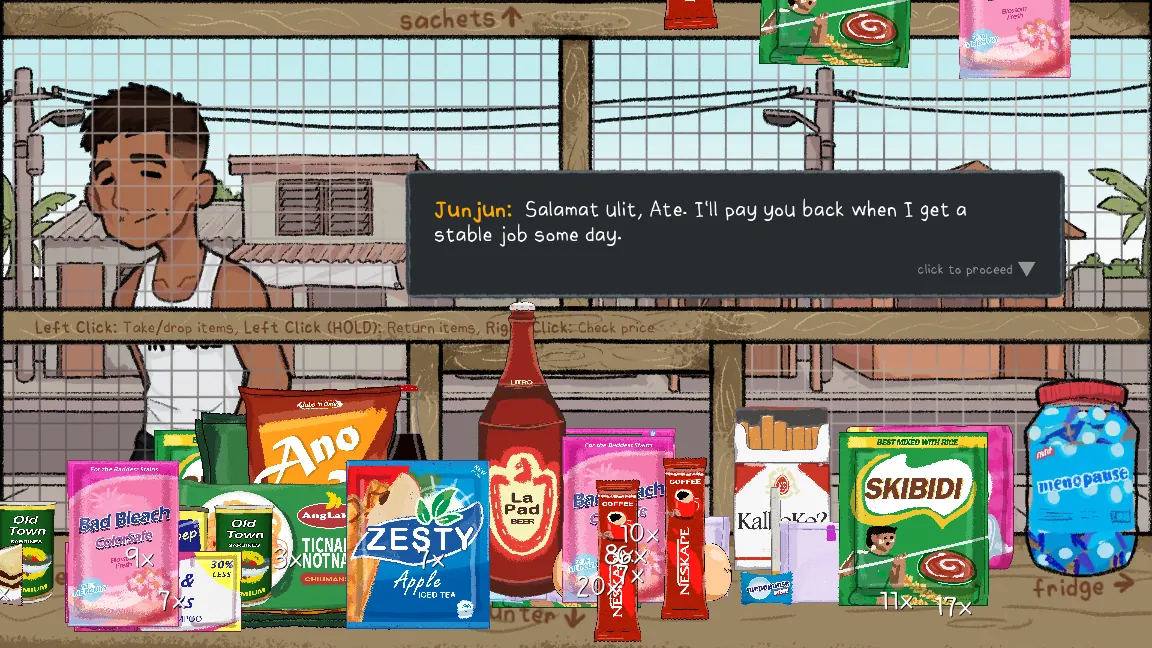
Start with Junjun’s order
After pressing Start, the first customer is Junjun. His opening request is for a stick of coffee. Click or tap through the dialogue at its own pace, then look at the order before grabbing products.
Use the sachets area above the main counter to find the small packets. Check the product rather than guessing from its color. The store uses illustrated brands, so the packaging is more useful than assumptions from real-world brands.
Build a simple checkout routine
- Read. Note every product and quantity in the order.
- Locate. Move to the appropriate part of the shop.
- Check. Pick up the item, then hold right click or use Price to read its cost.
- Take. Use brief clicks to take and place the requested products.
- Count. Add the order total, then handle any payment and change.
- Listen. Let the conversation continue after the transaction.
If you take the wrong item, use the hold-to-return action before continuing. A longer press is not a second way of picking something up.
Look down when it is time to count
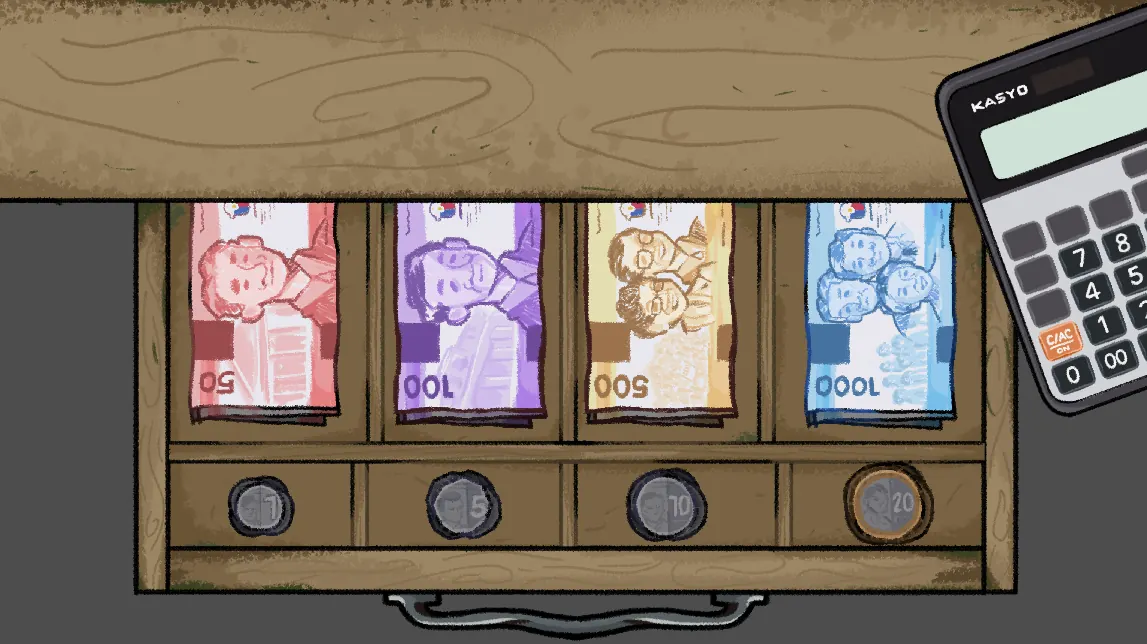
Bring the cash drawer into view. Its separate coin and note slots make it easier to count deliberately. The illustrated drawer contains ₱1, ₱5, ₱10 and ₱20 coins, and ₱50, ₱100, ₱500 and ₱1,000 notes.
Use the amount shown in your current transaction. Do not assume every customer pays with the same note, and do not use a walkthrough’s sample number as an item price.
A little help with the change
Enter the total you calculated and the amount the customer paid. This helper shows the change or shortfall; it does not change the game.
When a customer will not move on
Review the order quantity, items placed, and payment before clicking repeatedly. Finish any visible dialogue and make sure the game has focus. If the transaction still does not advance, read the Mare and payment troubleshooting notes.
Restarting the player reloads the whole game and may lose your current progress. Use it after checking the transaction, rather than as your first action.
Keep the reveal for your playthrough
The conversations are part of the game, not just the space between orders. Listen to how the customers talk about each other, and pay attention when an ordinary exchange begins to feel different.
The developer describes a psychological horror story beneath a cozy shop simulator. This guide covers the practical controls and transactions so you can discover the story yourself.